Saving presets
How saving works
When you click Save Filters, KeepaVault reads every filter field on the current Keepa Product Finder page — all 132+ of them — and stores them as a preset in your account. This includes:
- Text inputs (price, sales rank, review count, etc.)
- Dropdowns (category, condition, etc.)
- Checkboxes (product type, availability, Buy Box conditions, etc.)
- Date ranges
- Multi-select fields
Everything on the page is captured. Nothing is left behind.
Saving a new preset
- Open Keepa Product Finder and set your filters the way you want them.
- Click Save Filters in the KeepaVault popup, toolbar, or side panel.
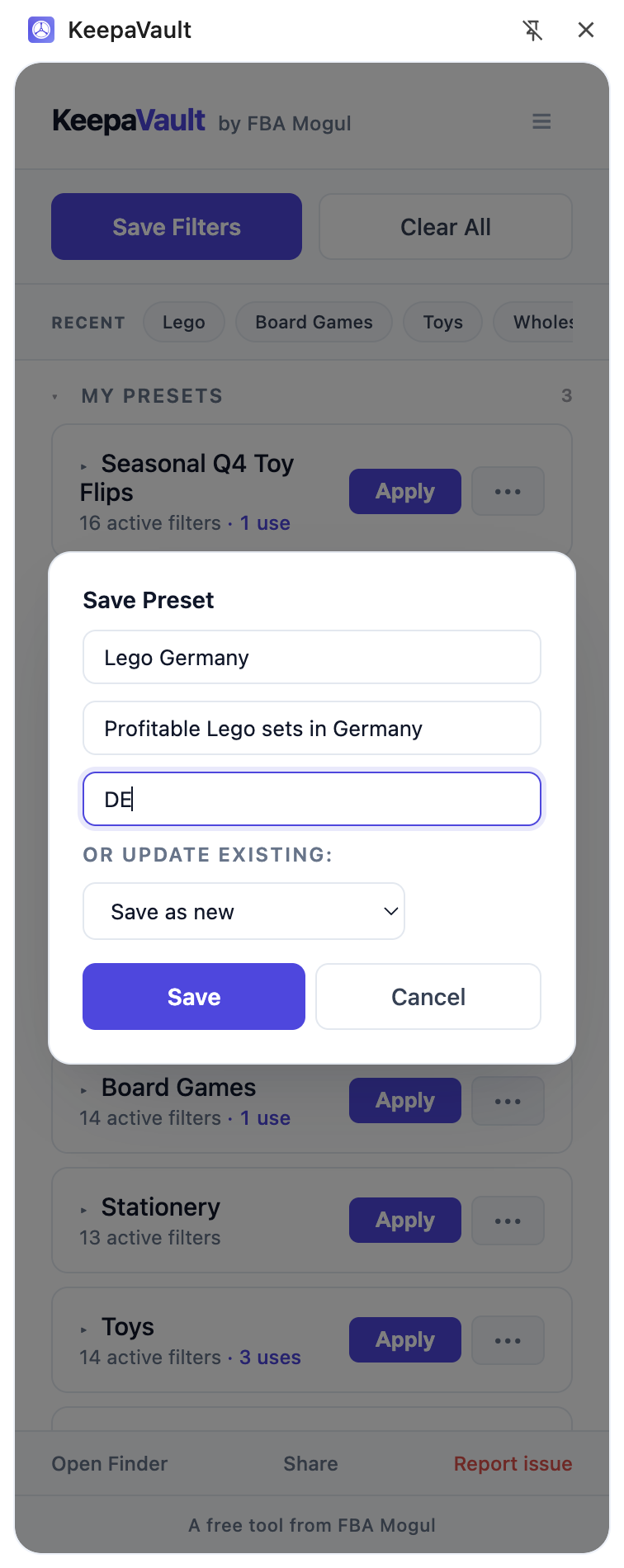
- Fill in the Save Preset dialog:
- Name (required) — something descriptive, like “UK Wholesale — High Rank” or “Grocery Replen”.
- Description (optional) — a note to remind you what this preset is for.
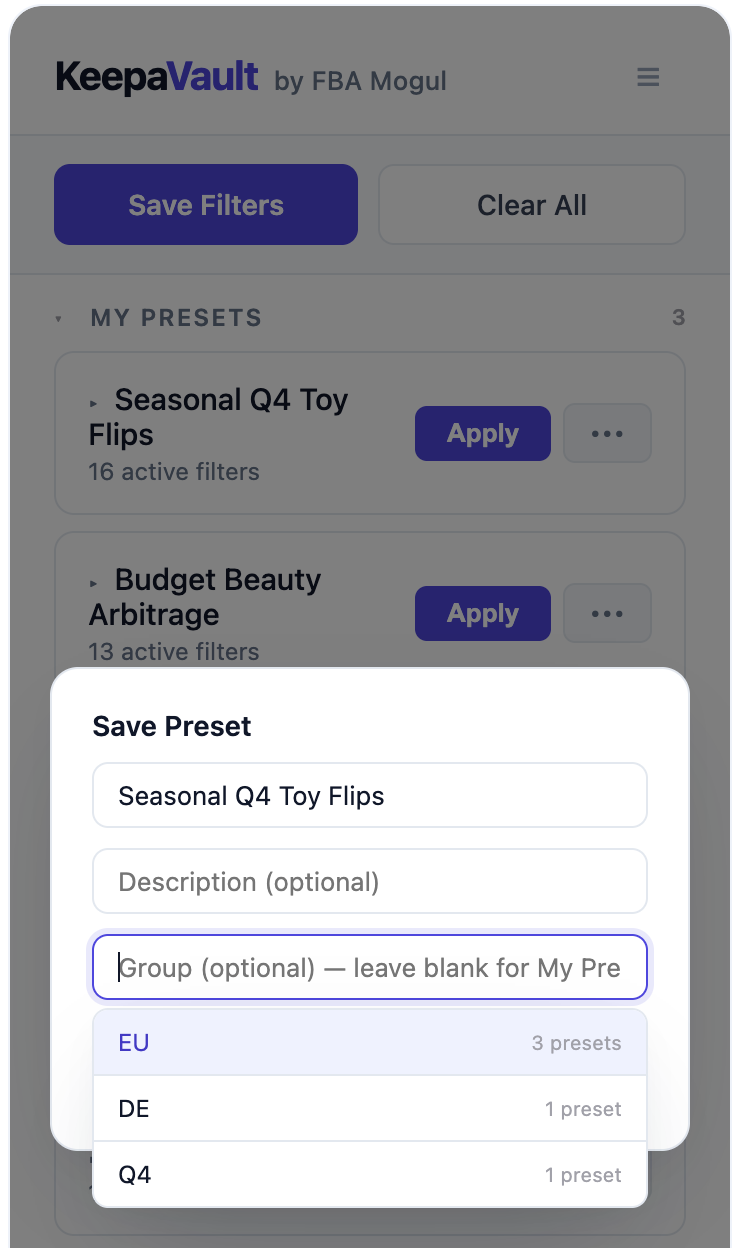
- Group (optional) — assign it to a group like “Wholesale”, “Seasonal”, or “EU”. Leave blank to put it in “My Presets”. Start typing and you’ll see your existing groups as suggestions.
- Click Save.
The Group field suggests your existing groups as you type, so you can quickly re-use an existing group without retyping the name:
Updating an existing preset
If you’ve tweaked your filters and want to update a preset you already have:
- Click Save Filters.
- In the Save Preset dialog, look for Or update existing below the group field.
- Select the preset you want to overwrite from the dropdown.
- Click Save.
The preset’s filter values will be replaced with whatever is currently on the Keepa page. The name, description, and group stay the same.
How many presets can I save?
As many as you want. There is no limit — not now, not ever. KeepaVault is free with unlimited presets.
Where are my presets stored?
Your presets are stored securely on KeepaVault’s servers (Cloudflare infrastructure). They sync across every Chrome browser you sign into. When you open the popup, your presets load from a local cache first (so it feels instant), then refresh from the server in the background.