Applying presets
How applying works
When you click Apply on a preset, KeepaVault writes every saved filter value back into the Keepa Product Finder form. Text fields, dropdowns, checkboxes, date ranges — everything gets populated exactly as it was when you saved it.
This works the same way whether you apply from the popup, the toolbar dropdown, or the side panel.
Applying from the popup
- Click the KeepaVault icon in your Chrome toolbar.
- Find the preset you want in the list.
- Click Apply.
The popup closes and your filters appear on Keepa.
Applying from the toolbar
If you have the toolbar enabled (Settings → Show toolbar on Keepa), you’ll see a KeepaVault bar at the top of Keepa Product Finder.
- Select a preset from the dropdown.
- Click Apply.
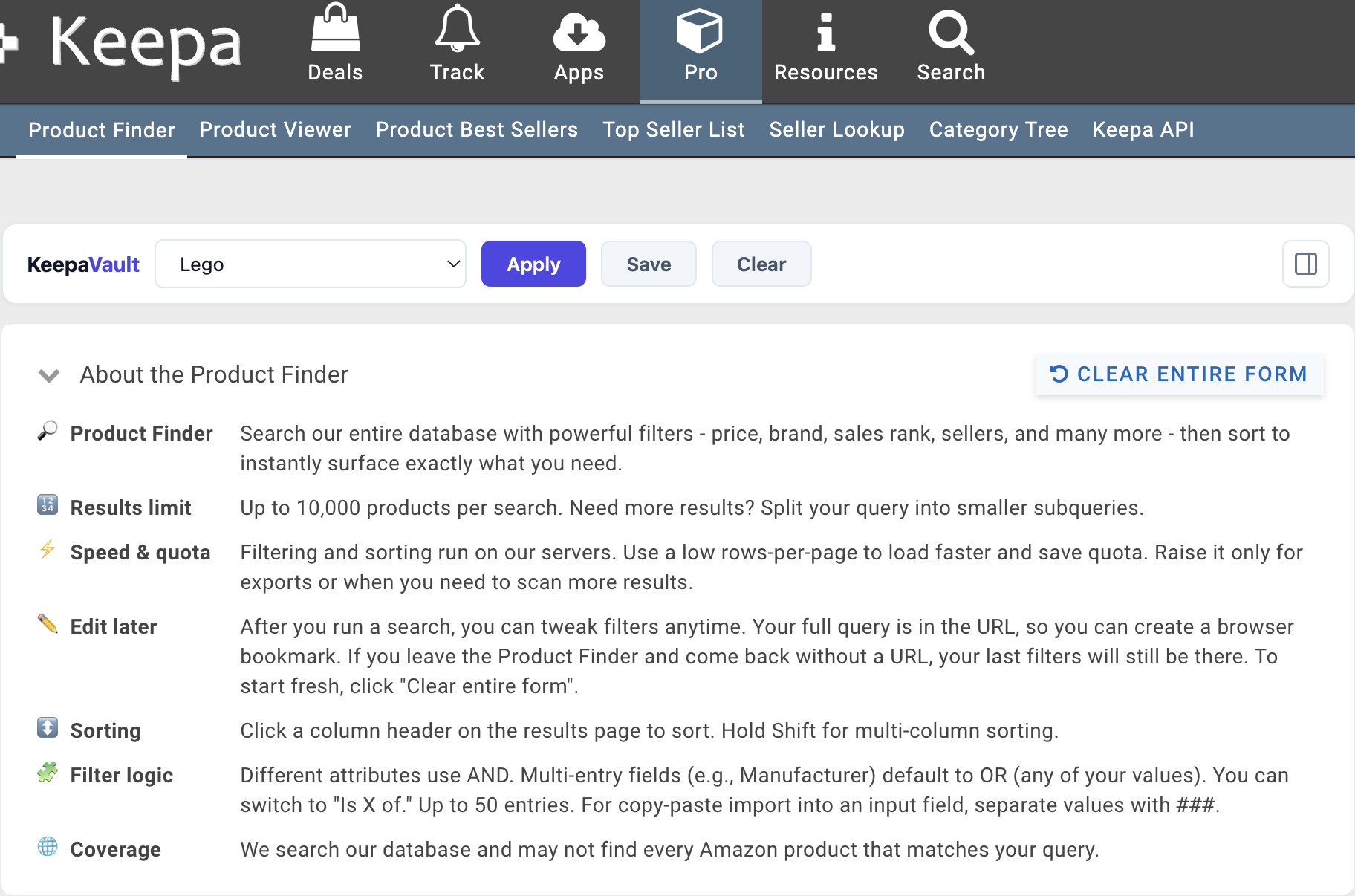
Your filters populate without leaving the Keepa page.
Applying from the side panel
If you have the side panel enabled, open it by clicking the KeepaVault icon while on Keepa. Your full preset list is visible alongside the Keepa page.
- Find the preset in the side panel.
- Click Apply.
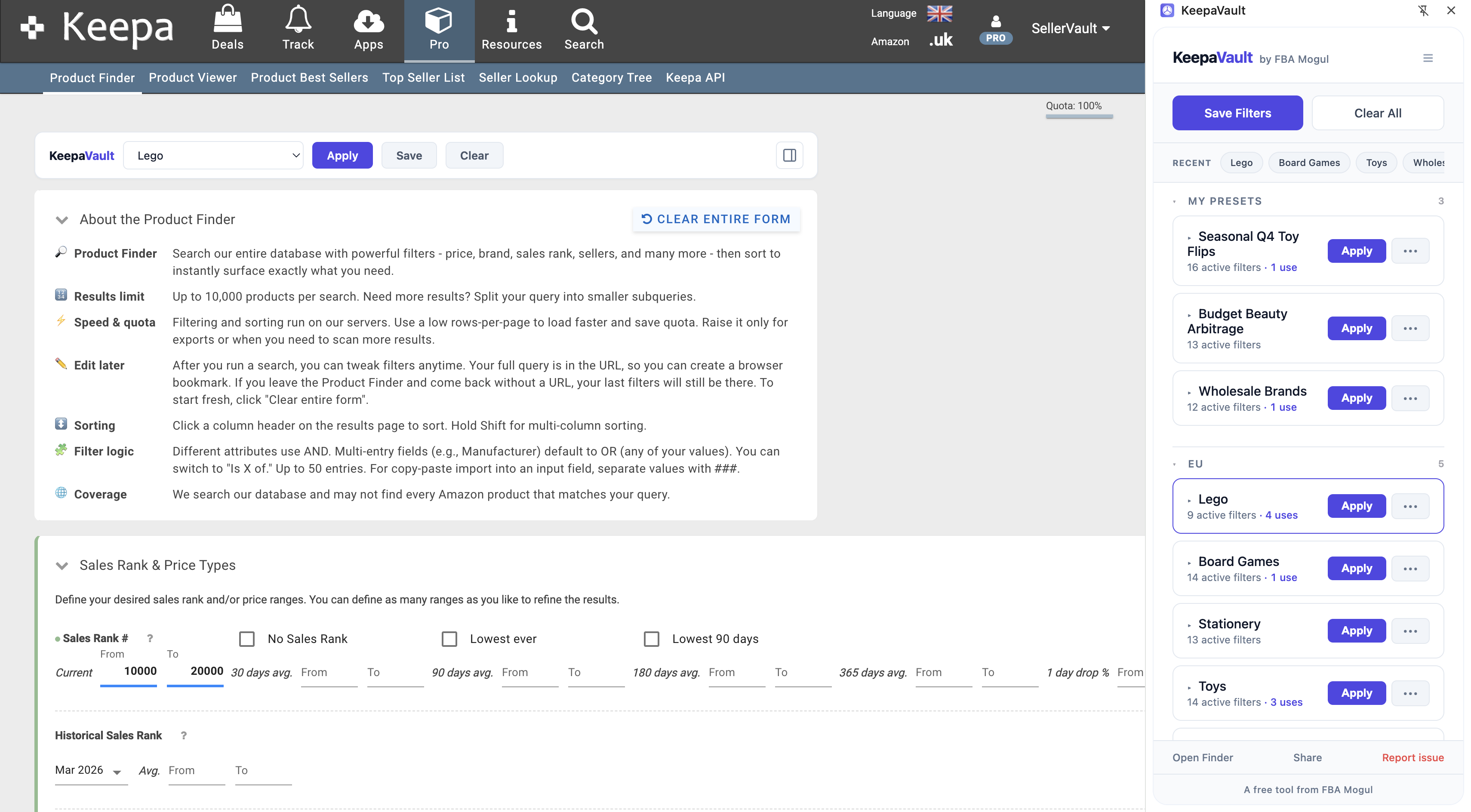
By default, the side panel closes after applying. You can change this in Settings — turn on Keep side panel open after Apply to stay in the panel and keep picking from the list.
Recently applied presets
The Recent strip at the top of KeepaVault shows your last 4 applied presets as quick-access pills. Click any pill to re-apply that preset instantly — no scrolling through the full list.
Previewing a preset before applying
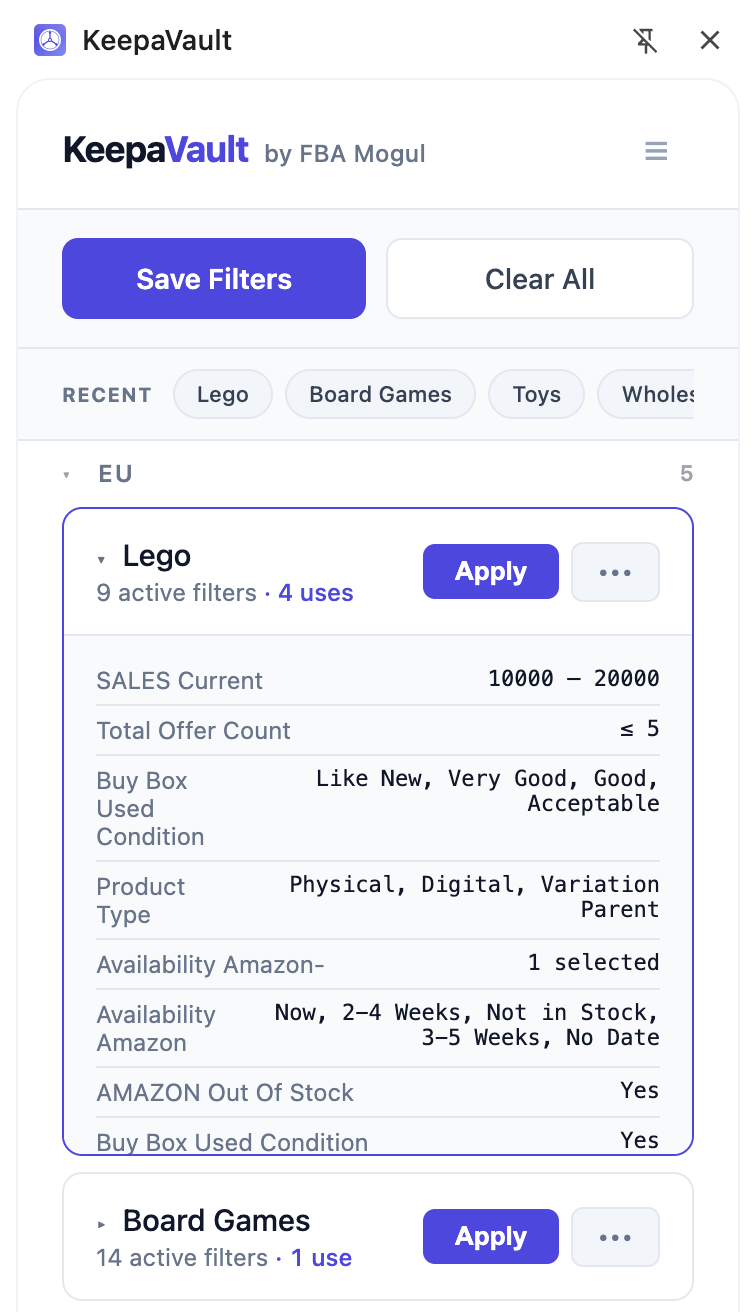
Click the preset name (or the ▸ chevron) to expand it and see a row-by-row breakdown of every saved filter value. This lets you check what’s inside before applying.
Clearing all filters
Click Clear All in the KeepaVault popup (or Clear in the toolbar) to reset every filter field on Keepa Product Finder back to its default. This is the same as clicking Keepa’s own “Clear Entire Form” but triggered from KeepaVault.
What if a filter field doesn’t exist?
If Keepa changes their interface and a saved filter field no longer exists on the page, KeepaVault skips that field and applies everything else. Your preset still works — you just won’t get the removed field. No errors, no broken state.